

Does the pull work in one go?
Long straights, tight bends, gradients: whether the force stays below what the cable tolerates depends on the sequence – and on the direction.
Draw the route on the aerial image and set the joints – this gives the pulls with length, elevation profile and pulling force in both directions, the allocation to drums and the trench. Route, joint pits, drum and winch sites go into the sequence plan.
For: Cable and pipeline construction, grid construction, work preparation
1 location free, no payment details. Runs in the browser – nothing to install. Try it without registering
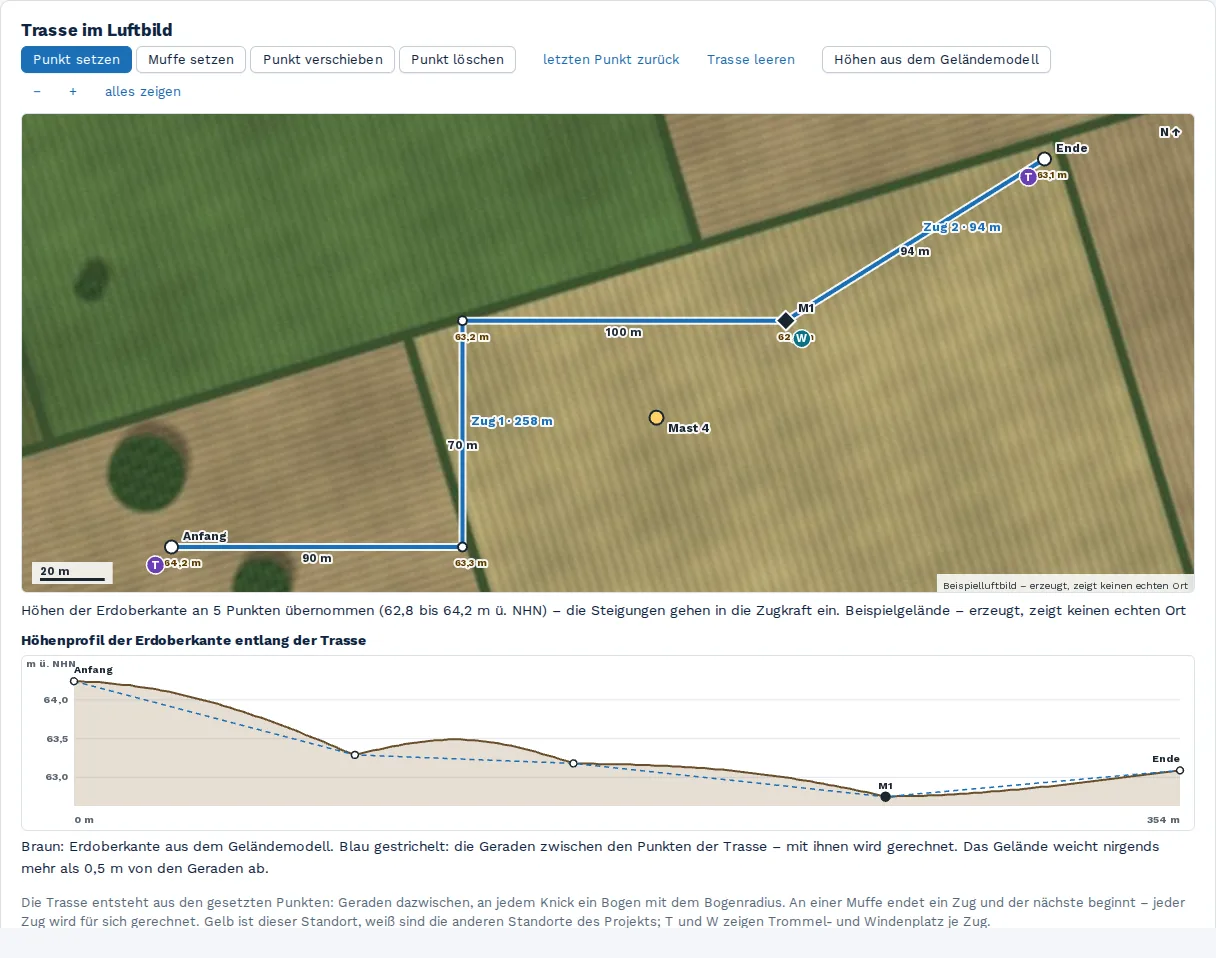
Long straights, tight bends, gradients: whether the force stays below what the cable tolerates depends on the sequence – and on the direction.
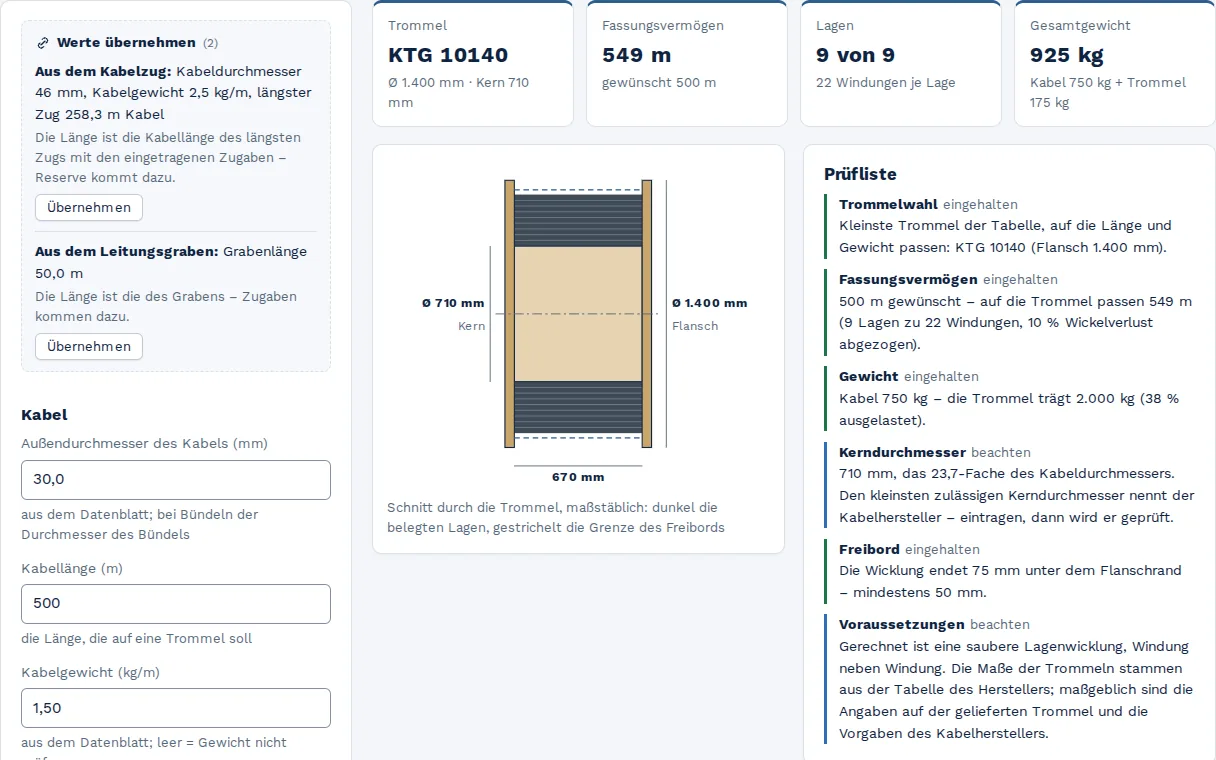
Every pull needs its cable length with allowances at joints and ends; the drum has to take it and remain transportable.
The sites and the joint pits belong in the site layout plan – ideally without measuring them a second time.
Set points, mark joints; the ground levels at the points come from the terrain model, crests and dips are marked.
Section by section in both directions, against the permissible force from pulling method and conductor or the manufacturer's value; plus sidewall pressure and bending radius.
The smallest drum that takes and carries the delivery length; the comparison reports when cable data or lengths in cable pull and drum do not match.
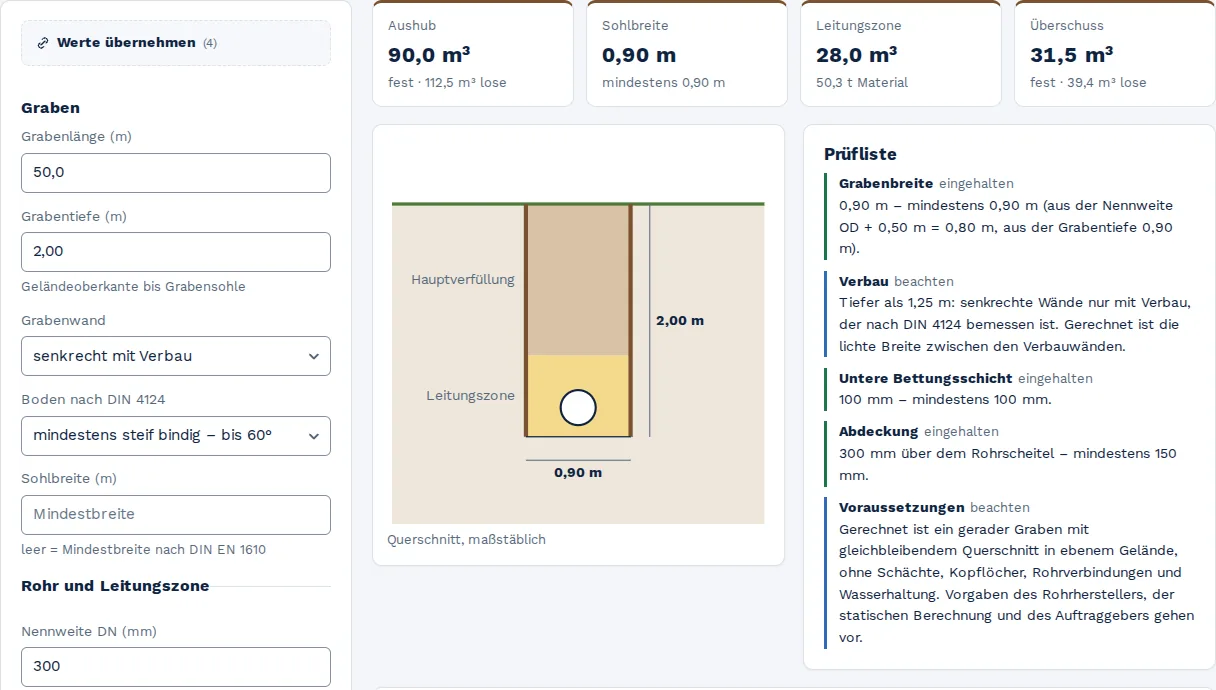
Width to EN 1610, excavation, pipe zone and backfill; the tool compares the trench length with the route.
The editor creates cable route, joint pits, drum and winch sites – in the correct position; you adjust the size of the sites in the plan.
The images show the application with sample projects – not real construction projects.
Each page explains a tool with its calculation method, a recalculated example and its limits – most with a quick calculator to try without logging in.
One location is free. See pricing · All tools
Yes, as rows: straight with length and height difference, bend with angle and radius. With a coordinate at the location you can use the aerial image.
Yes, laid-up or not; weight and permissible force are applied accordingly.
It suggests the length of the longest pull from the cable pull at the same location – you take it over with one click or enter your own.
One location free, all tools. No credit card, no subscription.
Start for free